Resume strategy · 15 minute practical guide

The 60-Second Resume Submission Checklist: File Name, Links, Contact Info, and Final PDF Test

Verify contact details, links, filename, file type, PDF extraction, hidden metadata, and the uploaded copy before sending your resume.

My Best Resume Editorial TeamPublished Updated

The answer first

Check identity, links, filename, format, extraction, and upload—using the exact file you will send.

The final resume check is not another rewrite. It is a one-minute quality-control pass designed to catch errors that strong content cannot overcome: a wrong phone number, broken portfolio, generic filename, damaged export, hidden comments, or the wrong version attached to the application.

  • Open every contact method and link
  • Use a recognizable professional filename
  • Follow the employer’s accepted file types
  • Download and inspect the uploaded copy
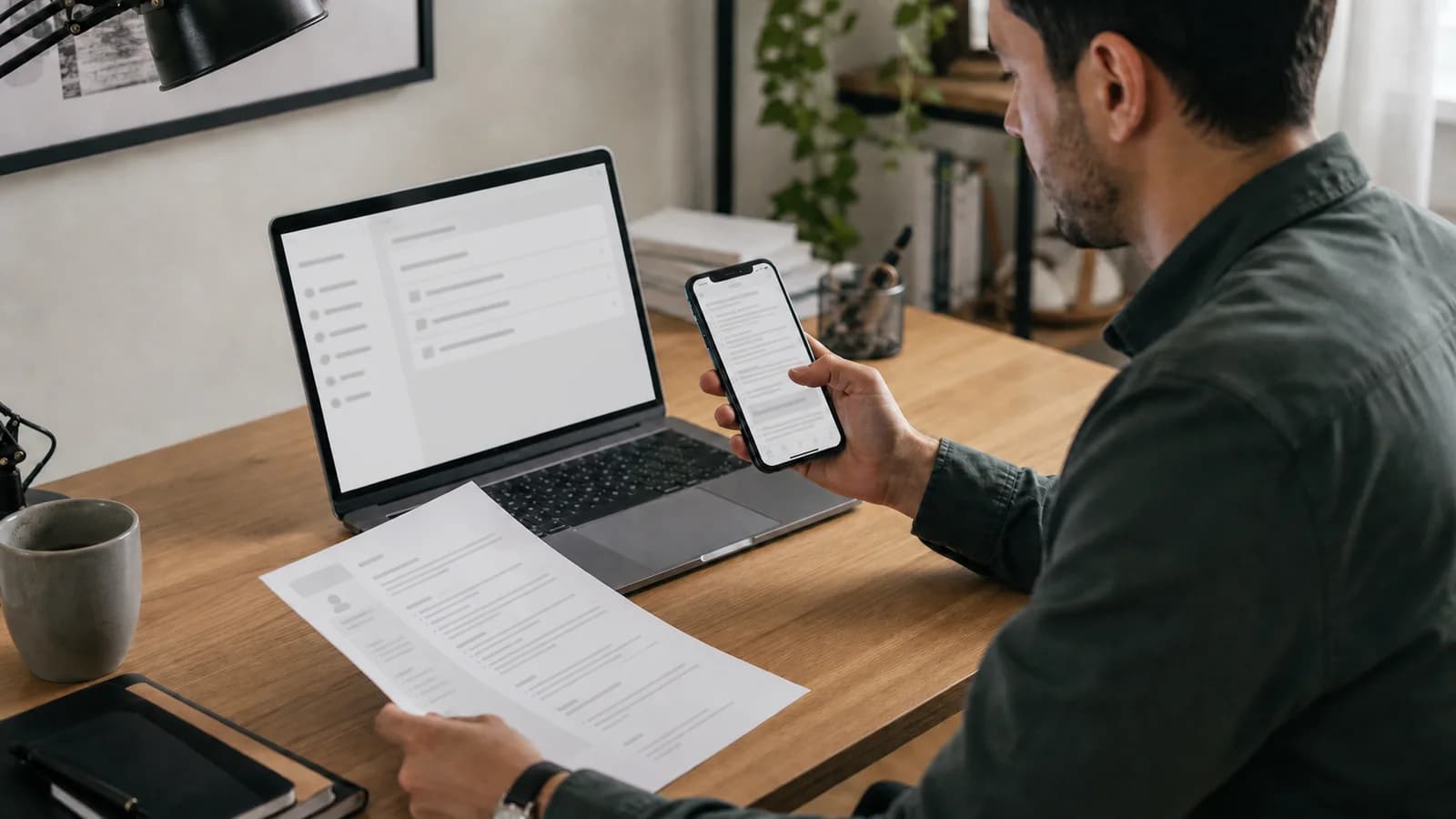
A fictional job seeker checking a resume file across a laptop, smartphone, and printed copy before submission.
AI-generated editorial photograph. The person, resume, phone screen, and application interface are fictional and intentionally contain no readable personal information.

The final minute

Run the checks in the order a submission can fail

This sequence assumes the resume content is already approved. Pause the upload if any check fails; fix the source document, create a fresh export, and begin again with that exact file.
TimeCheckPass conditionFailure to catch
0–10 secondsIdentity and contactCorrect name, professional email, working phone number, and intended location signal.Typo, old number, inappropriate email, accidental street-address disclosure.
10–20 secondsLinksLinkedIn and portfolio open to the intended public page without access requests or errors.Broken URL, private document, old domain, profile that contradicts the resume.
20–30 secondsFilename and versionThe name identifies you and the file is the tailored version for this application.resume.pdf, final-final.pdf, wrong employer version, internal notes in the filename.
30–40 secondsFile type and sizeThe employer accepts the extension and the file stays under the stated limit.Uploading PDF when DOCX is required, portfolio PDF instead of resume PDF, oversized file.
40–55 secondsVisual and text testEvery page renders correctly and copied plain text follows a sensible reading order.Missing font, clipped content, blank page, broken bullets, scrambled columns, image-only text.
55–60 secondsUpload confirmationThe portal shows the intended filename; preview or downloaded copy matches your local final.Stale upload, failed replacement, wrong attachment, portal conversion damage.
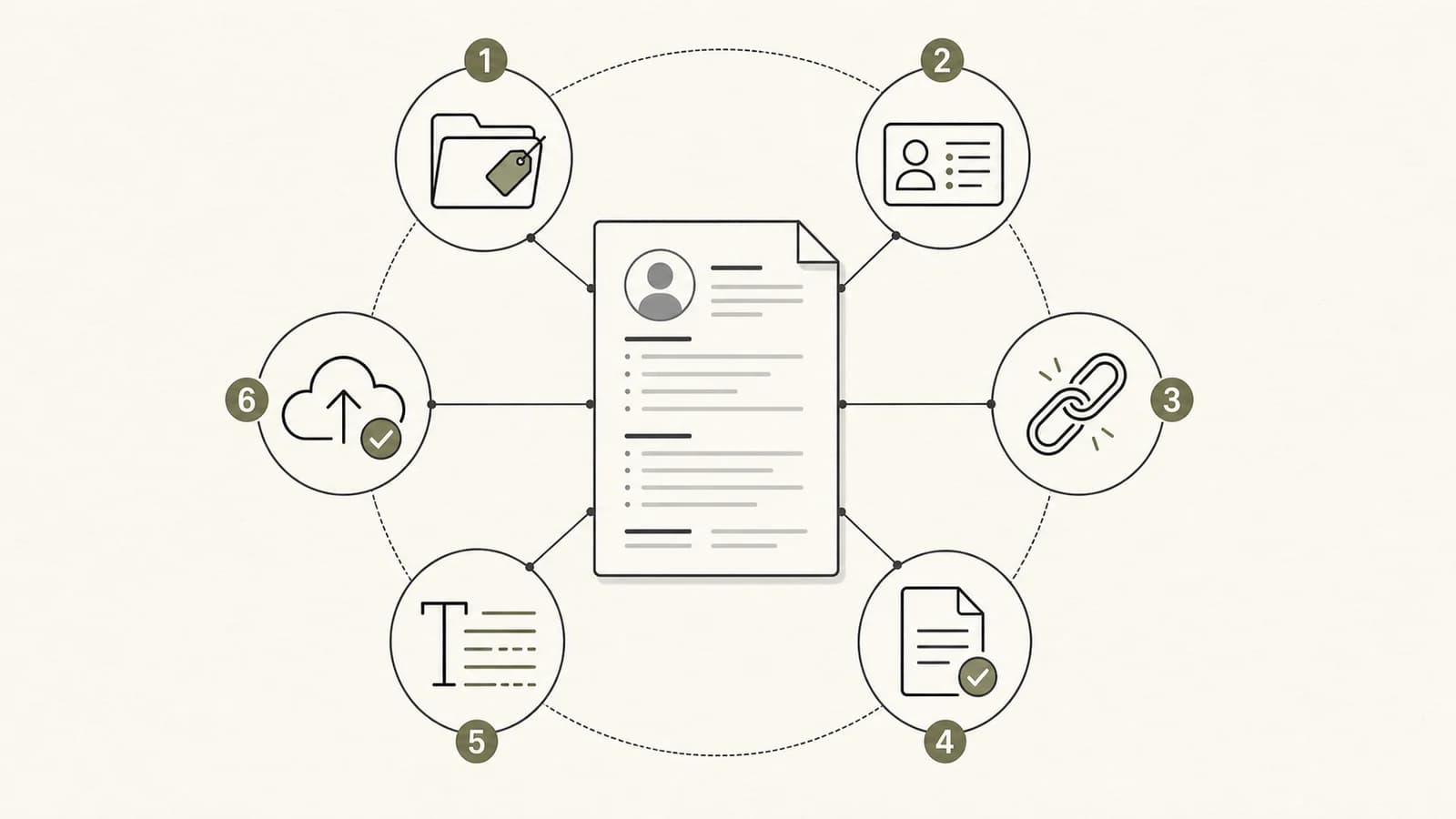
Six final resume checks arranged around a document: filename, contact details, links, file type, text extraction, and upload confirmation.
AI-generated editorial illustration. The numbered sequence is a visual memory aid; the complete pass criteria remain in the HTML table above.

Check 1

Verify contact information as if you were the recruiter

Do not confirm what you intended to type. Use each contact method exactly as it appears in the exported document.
FieldWhat to verifyCommon failure
NamePreferred professional name is spelled consistently across resume, application, email signature, and relevant profile.A nickname on one file and legal name on another without a clear connection.
EmailAddress is professional, monitored, correctly spelled, and receives a test message.Missing character, full inbox, school account that expired, or an old employer domain.
PhoneNumber and country code are correct; voicemail is active and identifies you appropriately.Transposed digit, disconnected number, or voicemail that is full.
LocationCity and state, country, remote-work market, or relocation note matches the application strategy.Full street address exposed unnecessarily or location contradicting eligibility answers.
LinkedInProfile is current, public enough to view, and consistent on employers, titles, and dates.Broken custom URL, private profile, old headline, or conflicting chronology.
PortfolioBest relevant work is reachable in one click and view permissions work without your account.Access request, expired domain, broken project route, or confidential material.

Check 3

Make the file recognizable after it leaves your computer

The filename appears in downloads, attachments, portals, recruiter folders, and forwarded messages. It should identify the candidate without exposing internal workflow.
PatternUseAssessment
Maya-Chen-Resume.pdfGeneral professional submissionClear, compact, and recognizable.
Maya-Chen-Product-Analyst-Resume.pdfRole-family versionUseful when you maintain several targeted versions.
Maya-Chen-Northstar-Product-Analyst-Resume.pdfEmployer-specific version stored privatelyHelpful for your own version control; check that including the company name is appropriate before sending.
resume.pdfAvoidIt identifies the document type but not the candidate.
resume-final-v7-USE-THIS.pdfAvoidIt exposes internal drafting and still does not identify the person cleanly.
Maya-Chen-Resume(1).pdfAvoidA download suffix suggests uncertainty about which version is final.

Check 4

Employer instructions beat PDF-versus-Word folklore

Keep both a tested PDF and a clean DOCX available. Submit the format the application requests and verify the exact uploaded version.
SituationChooseFinal check
The application explicitly requests PDFPDFOpen the exported file, verify every page, test links and text selection, then upload.
The application explicitly requests DOC or DOCXDOCXUse a conventional Word file without tracked changes, comments, unsupported fonts, or fragile layout.
The portal accepts both without guidanceUsually a tested PDFPDF preserves the intended layout, but the portal preview and accepted formats still control.
The portal provides its own resume builderFollow the builderPreview the parsed result. Bullets and formatting may not transfer exactly when pasted.
A recruiter asks for a different versionSend the requested formatCreate it from the approved source, inspect it again, and keep the content consistent.
Federal or specialized applicationFollow the announcementFile type, page limits, required fields, and supporting documents can differ from private-sector norms.

For the underlying parsing and layout tradeoffs, see the ATS-friendly resume format guide.

Check 5

Run one visual test and one text test

A PDF can look correct while extracting poorly, or extract cleanly while containing a visible layout failure. Check both.

Visual inspection

  • Open every page at 100% zoom.
  • Confirm fonts, bullets, rules, and special characters.
  • Check page breaks, margins, headers, and blank pages.
  • Verify no tracked comments or editor marks appear.
  • Print or preview in grayscale when contrast is uncertain.

Plain-text inspection

  • Select all text and copy it into a plain-text editor.
  • Check name and contact details appear first.
  • Read jobs, dates, and bullets in order.
  • Confirm headings and skill terms are not missing.
  • Look for duplicated, scrambled, or image-only content.

Hidden content

Inspect comments, revisions, and document properties

The visible page is not the whole file. Collaborative editing can leave reviewer names, comments, tracked changes, document properties, hidden text, and other metadata.
  1. 01

    Save a copy

    Run cleanup on a duplicate. Microsoft warns that some Document Inspector removals cannot be restored.
  2. 02

    Accept or reject tracked changes

    Resolve revisions intentionally and remove comments before creating the submission version.
  3. 03

    Inspect the document

    In desktop Word, use File, Info, Check for Issues, Inspect Document. Review properties, personal information, hidden text, and collaboration data.
  4. 04

    Export a fresh file

    Create the PDF or DOCX from the cleaned source and do not assume an older export updated automatically.
  5. 05

    Reopen and retest

    The cleaned file is a new artifact. Repeat the visual, link, text, size, and filename checks.

Check 6

Verify the portal received the file you intended

The local file can be perfect while the application still contains an older attachment or a portal-generated preview with damage.

Visible filename

Confirm the portal shows the intended candidate name and version—not the file you replaced five minutes earlier.

Preview

Open the portal preview when available and inspect the first page, page count, dates, bullets, and final page.

Download

If the portal lets you download the attachment, open that downloaded copy. It is stronger evidence than viewing the local original.

Parsed fields

Review imported employer names, titles, dates, education, phone, and email. Correct parser errors without changing facts.

Confirmation

Save the application confirmation, job description, submitted filename, and date according to your privacy and recordkeeping preferences.

Prevent the next error

Use a simple version system instead of “final-final”

A master resume and controlled target versions make last-minute quality checks faster because the source of each submission is known.
FilePurposeExample
Master resumeComplete verified evidence library; not submitted directly.Maya-Chen-Master-Resume.docx
Role-family sourceReusable emphasis for a target such as Product Analyst.Maya-Chen-Product-Analyst-Source.docx
Application sourceEmployer-specific approved content before export.Maya-Chen-Northstar-Product-Analyst.docx
Submission fileThe exact clean artifact uploaded or emailed.Maya-Chen-Product-Analyst-Resume.pdf
Application recordJob description, submission date, filename, and status.Tracked in a private workspace, not embedded in the resume.

The master resume and version-management guide shows how to create these layers without rewriting from scratch.

Frequently asked questions

Final resume submission questions, answered

What should I name my resume file?

Use a clear professional pattern such as Firstname-Lastname-Resume.pdf. Add the target role or company only when it helps you manage tailored versions, for example Maya-Chen-Product-Analyst-Resume.pdf. Avoid resume.pdf, final-final.pdf, unexplained numbers, and internal notes.

Should I submit my resume as a PDF or Word document?

Follow the employer’s instructions first. PDF usually preserves the intended layout, while some systems or recruiters request DOCX. Keep both clean exports available, and upload only an accepted format after testing the exact file.

How can I test whether my resume PDF is readable by an ATS?

Select all text in the PDF, copy it into a plain-text editor, and inspect the order of the name, contact information, headings, jobs, dates, bullets, skills, and education. This checks basic extraction, not whether any particular employer will rank or select the resume.

Should my LinkedIn URL be on my resume?

Include it when the profile is current, consistent with the resume, and publicly viewable in a useful form. Test the exact link in a private browser window. Leave it off when the profile is incomplete, contradictory, or unrelated to the target.

Do I need my full street address on my resume?

Usually not for a standard U.S. private-sector resume. City and state or a clear relocation statement are often enough. Follow the application’s requirements and consider local conventions, security-sensitive roles, and country-specific expectations.

Should I remove document metadata before sending a resume?

Review it. Word files can contain author names, comments, revisions, document properties, hidden text, and other information. Use a copy when running Document Inspector because some removals cannot be undone, then export and test the final submission file.

Run the content check before the upload check

Review evidence, targeting, first-read clarity, and formatting—then export the exact version you will submit.

Check my final resume

Editorial method

We turned recurring community submission failures into a short reproducible check, then verified format, upload, PDF-export, and hidden-metadata guidance against official product and government documentation. Employer instructions always override a general checklist.

Sources reviewed